
ASSA Pre-notification form 2026: editable PDF
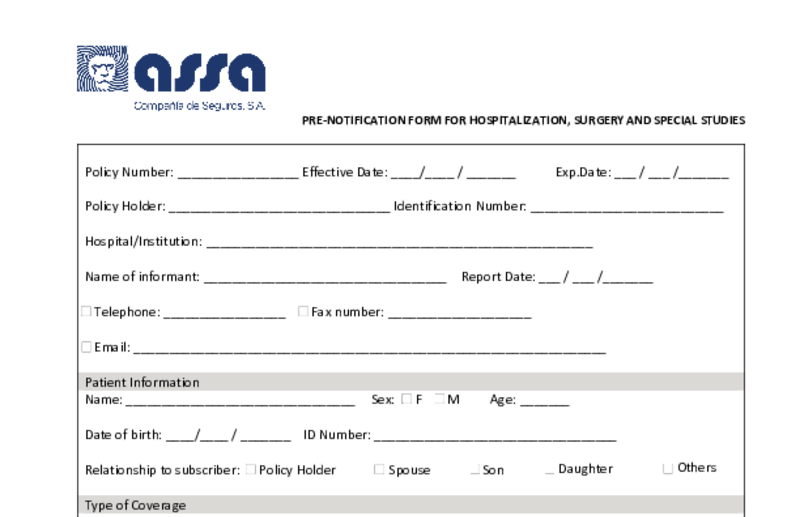
ASSA Pre-notification form: 63 fields. Itaca fills them for you.
Field by field, with your patient's data and clinical history. You just review and sign.
- Insurer
- ASSA
- Country
- Costa Rica
- Form fields
- 63
- Type
- Pre-authorization request
From record to form, in three steps
The same flow works for every ASSA patient: don't retype what's already in the record.
- 1
Choose the patient
Open this ASSA form in Itaca and select who it's for.
- 2
Itaca fills the form
It takes the data and clinical history from the patient's visits and documents.
- 3
Review, sign and send
Correct anything that needs it, download the PDF and sign it.
Sections in this form
- Policy & Institution Details
- General & Policy Information
- Patient Information
- Type of Coverage
- Medical Details & Hospitalization
- Type of Coverage & Medical Information
- Charges
- Medical Fees and Procedure Date
- Policy Holder Declaration and Authorization
Blank ASSA Pre-notification form
Fillable PDF with 63 fields. If ASSA publishes a new version, that version prevails.
Download blank PDFWhat if you skipped the typing?
Itaca fills the form by reading the record. You review, sign and send.
Frequently asked questions
What record data does Itaca use to fill it?
The patient's details, visits, documents and test results already on record. Anything that isn't in the record stays blank for you to complete.
Can I use my own form if ASSA changes it?
Yes. You can upload any fillable PDF to Itaca and use it as a template for your practice or organization.
More ASSA forms
Pre-authorization request from other insurers
Your next ASSA patient won't take up your afternoon.
Autofill